
Download Shambles – Classic Doom‑style Zombie Shooter, Free & Secure
Overview: Why Shambles Stands Out in the Retro FPS Landscape
Shambles is a free first‑person shooter that captures the raw energy of early 1990s titles like Doom and Wolfenstein 3D. Created by Markus “Notch” Persson—the visionary behind Minecraft—the game was built in a surprisingly short development window, yet it manages to deliver a surprisingly polished experience. Set in a dimly lit, post‑apocalyptic environment, players are thrust into a relentless wave of zombies and rogue soldiers. The objective is simple and brutally effective: survive as long as possible while mowing down as many enemies as you can.
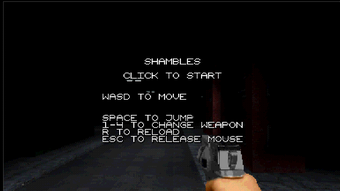
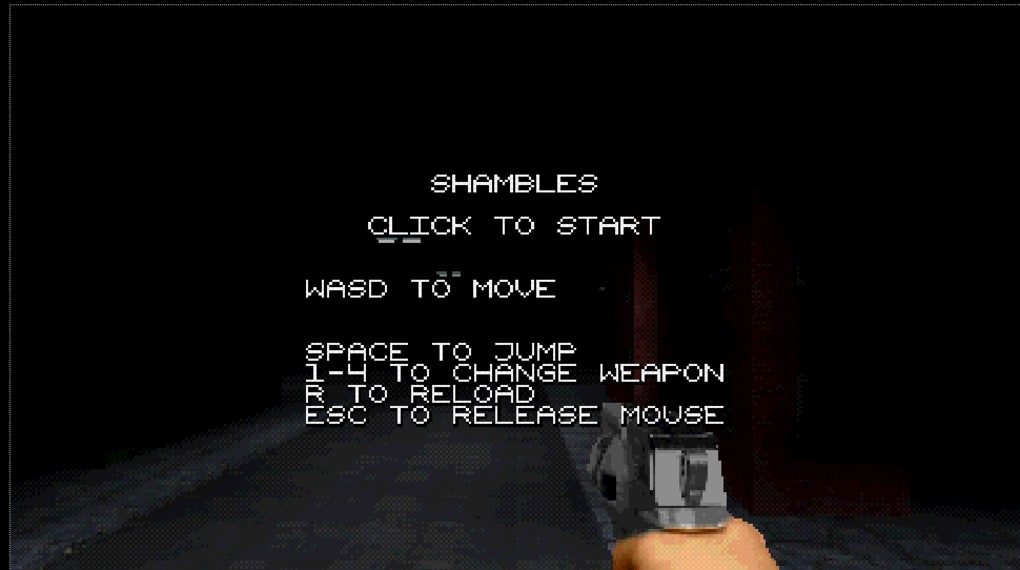
What makes Shambles compelling is its commitment to old‑school graphics. The pixelated textures, blocky architecture, and limited color palette feel like a love letter to the era that defined the first‑person shooter genre. Despite the retro aesthetic, the gameplay mechanics are modern enough to keep both nostalgia seekers and newcomers engaged. The gunplay is responsive, the enemy AI is surprisingly varied, and the level design encourages strategic movement and resource management. Moreover, the game is completely free, making it an accessible entry point for anyone looking to experience a classic FPS without the price tag.
From a technical standpoint, Shambles runs on a lightweight engine that demands very little from your hardware. This means you can download and install the game on virtually any modern Windows or macOS machine, and even older laptops will handle it with ease. The community has already begun to share custom maps and mods, hinting at a growing ecosystem that could extend the game’s lifespan far beyond its initial release. If you enjoy the thrill of battling hordes of undead in tight corridors while the retro soundtrack pounds in the background, Shambles offers a compelling, free, and secure package that is worth a download today.
Key Features of Shambles
- Retro Graphics Engine: Pixel‑perfect textures and classic 2.5‑D rendering that evoke the golden age of FPS games.
- Fast‑Paced Zombie Combat: Face off against hordes of undead with a variety of weapons, from shotgun blasts to plasma rifles.
- Dynamic Enemy Types: In addition to zombies, the game includes armed soldiers that use cover and flanking tactics.
- Procedurally Generated Levels: Each playthrough offers a fresh layout, keeping the experience unpredictable.
- Simple Controls: WASD movement, mouse aiming, and one‑button fire make the learning curve shallow.
- Free & No Ads: 100 % free download with no intrusive advertisements or hidden micro‑transactions.
- Mod‑Friendly Architecture: Community‑created maps and weapon packs can be added without complex configuration.
- Cross‑Platform Support: Official builds for Windows and macOS, with community ports for Linux.
- Low System Requirements: Runs smoothly on CPUs as low as Intel Core 2 Duo and 2 GB RAM.
- Regular Updates: Notch promises quarterly patches to fix bugs and introduce new content.
Each of these features contributes to a cohesive experience that feels both nostalgic and fresh. The procedural level generation, for instance, means that even after dozens of hours of play, you’ll still encounter new challenges and layout surprises. Meanwhile, the simple control scheme ensures that you spend more time shooting and less time wrestling with complicated key bindings. Because the game is free, the developers have focused on delivering a high‑quality core experience rather than monetizing through DLC, which is a refreshing approach in today’s market.
The community aspect is also noteworthy. Early adopters have already begun to share custom maps on forums, and the developers have released a basic modding toolkit. This opens the door for user‑generated content that can dramatically expand the game’s replayability. Whether you’re a retro‑gaming enthusiast or a newcomer curious about the origins of the FPS genre, Shambles packs a surprising amount of depth into a lightweight, free package.
Installation, Usage & Compatibility
Step‑by‑Step Installation Guide
- Download the Installer: Visit the official Shambles website and click the “Download for Windows” or “Download for macOS” button. The file size is under 150 MB, making it quick even on slower connections.
- Run the Installer: On Windows, double‑click the
.exefile; on macOS, open the.dmgand drag the app to your Applications folder. - Accept the EULA: The installer presents a short End‑User License Agreement. Since Shambles is free, the agreement focuses on standard usage rights and privacy policy.
- Choose Installation Path: The default location is
C:\Program Files\Shambles(Windows) or/Applications/Shambles.app(macOS). You can change this if you prefer a custom directory. - Complete Installation: Click “Install” and wait a few seconds. A progress bar confirms the copy of assets and creation of shortcuts.
- Launch the Game: Use the desktop shortcut (Windows) or the Dock icon (macOS) to start Shambles. The first launch may take a moment while the engine caches textures.
Getting Started with Gameplay
Upon launching, you’ll be greeted by a brief tutorial that explains basic controls: WASD for movement, mouse for aiming, Space to jump, and left‑click to fire. The tutorial also covers weapon swapping (1‑4) and health pack usage (H). After the tutorial, you’re dropped into a dark corridor where the first wave of zombies appears. The game automatically saves progress at the end of each level, so you can exit at any time without losing your high scores.
Performance is optimized for low‑end hardware. On a modest laptop (Intel Core i3, 4 GB RAM), the game consistently runs at 60 fps at native resolution (800×600). The graphics settings are intentionally limited to preserve the retro feel, but you can toggle fullscreen, V‑Sync, and audio volume in the Options menu. For macOS users, the game runs natively on Apple Silicon thanks to Rosetta 2 translation, though native ARM support is planned for a future update.
Compatibility Details
Supported Operating Systems:
- Windows 7, 8, 10, 11 (64‑bit)
- macOS 10.13 High Sierra and later (Intel & Apple Silicon)
- Community‑maintained Linux builds (Ubuntu, Fedora)
The game’s lightweight engine ensures it runs on both older and newer machines. Minimum requirements are a 1 GHz processor, 2 GB RAM, and a DirectX 9‑compatible graphics card (or OpenGL 2.0 on macOS). For the best experience, a dedicated GPU is not required; integrated graphics from Intel or AMD are sufficient.
Because Shambles is a free download, there are no DRM or online activation steps. This makes the installation process hassle‑free and ideal for users who value privacy and security. Once installed, the game checks for updates automatically on launch, ensuring you always have the latest bug fixes and content additions.
Pros, Cons & Frequently Asked Questions
Pros
- Completely free with no ads or micro‑transactions.
- Authentic retro graphics that appeal to classic FPS fans.
- Fast, responsive controls and satisfying gunplay.
- Procedurally generated levels keep gameplay fresh.
- Low system requirements—runs on almost any modern PC or Mac.
- Active community creating mods and custom maps.
- Regular updates from the original creator, Notch.
Cons
- Limited graphical fidelity may deter players seeking modern visuals.
- No official multiplayer mode—currently single‑player only.
- Soundtrack is repetitive after extended sessions.
- Documentation is minimal; new players may need to rely on community guides.
- Linux support is unofficial and may require manual setup.
FAQ – Your Most Common Questions About Shambles
Is Shambles really free, or are there hidden costs?
Yes, Shambles is 100 % free to download and play. There are no hidden micro‑transactions, subscription fees, or in‑app purchases. The developers fund the project through donations and optional merchandise.
Can I play Shambles on a Linux machine?
Official support is limited to Windows and macOS, but the community has created unofficial Linux builds that run on Ubuntu, Fedora, and other distributions. You’ll need to follow the community‑provided installation guide for the best results.
Does Shambles support controller input?
The game includes basic Xbox and PlayStation controller support. You can enable it in the Options menu under “Input Settings.” However, the primary design focuses on mouse and keyboard for precise aiming.
How often are updates released?
Notch has committed to quarterly updates that address bugs, balance issues, and occasionally add new weapons or enemy types. Major content patches are announced on the official forum and via the game’s launcher.
Is there a way to save progress without finishing a level?
Shambles automatically creates a checkpoint at the end of each wave. You can exit the game at any time, and the next launch will resume from the last completed checkpoint, preserving your score and unlocked weapons.
Conclusion & Call to Action
Shambles delivers a surprisingly robust experience for a game that was built in a short time frame and offered at no cost. Its dedication to classic FPS aesthetics, combined with modern procedural level generation and a thriving mod community, makes it a standout title for both retro enthusiasts and newcomers alike. While the graphics are intentionally nostalgic and the lack of multiplayer may limit replayability for some, the core loop of surviving wave after wave of undead and armed soldiers remains engaging and rewarding.
If you’re looking for a free, secure download that brings the spirit of Doom back to life without demanding high‑end hardware, Shambles is the perfect choice. Install it today, fire up your favorite weapon, and see how long you can survive the endless onslaught. The game’s low system requirements mean you can start playing within minutes of download, and the regular updates guarantee fresh content to keep you coming back.
Ready to dive into the chaos? Click the download button below, install Shambles on your Windows or macOS device, and experience the adrenaline‑pumping action that only a true retro shooter can provide.



.png)



